Pulpit ManagerEvery desktop its own files.
And the tools you reach for all day, waiting at the top edge of the screen.
Free to download. macOS 14 Sonoma or later.
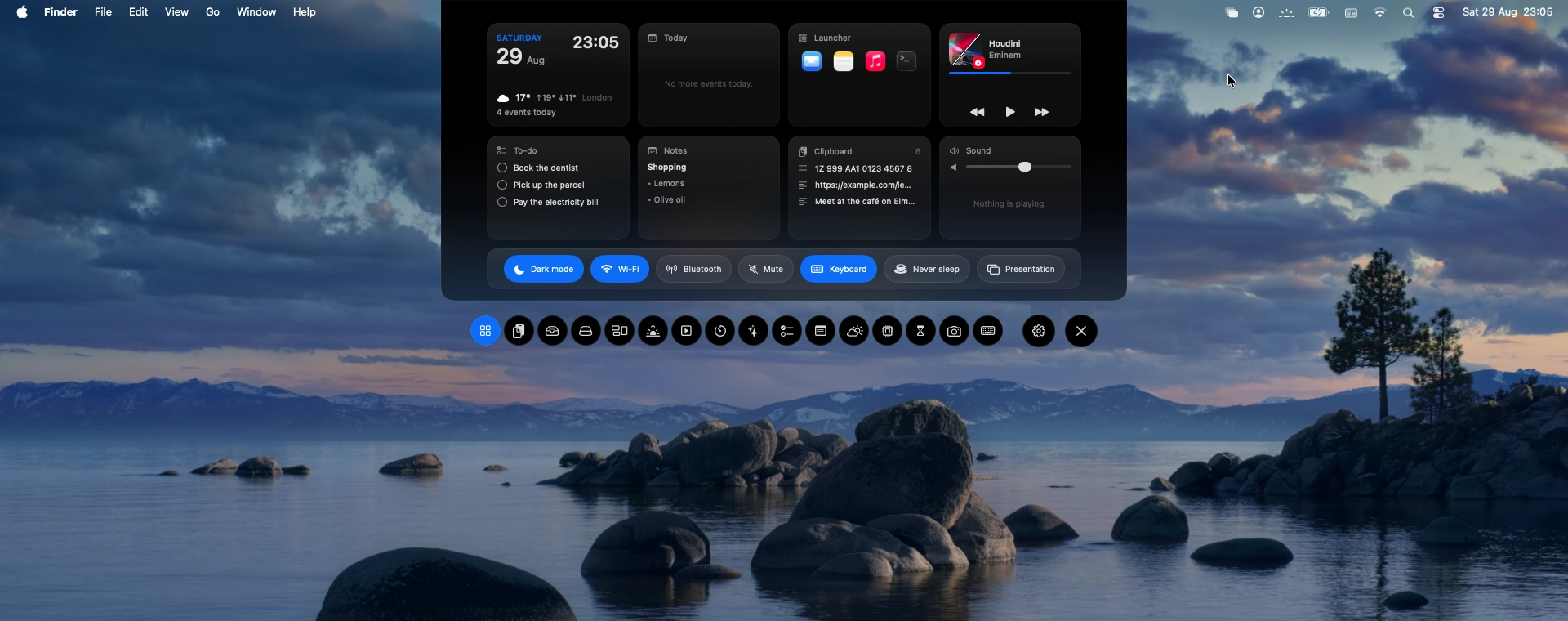
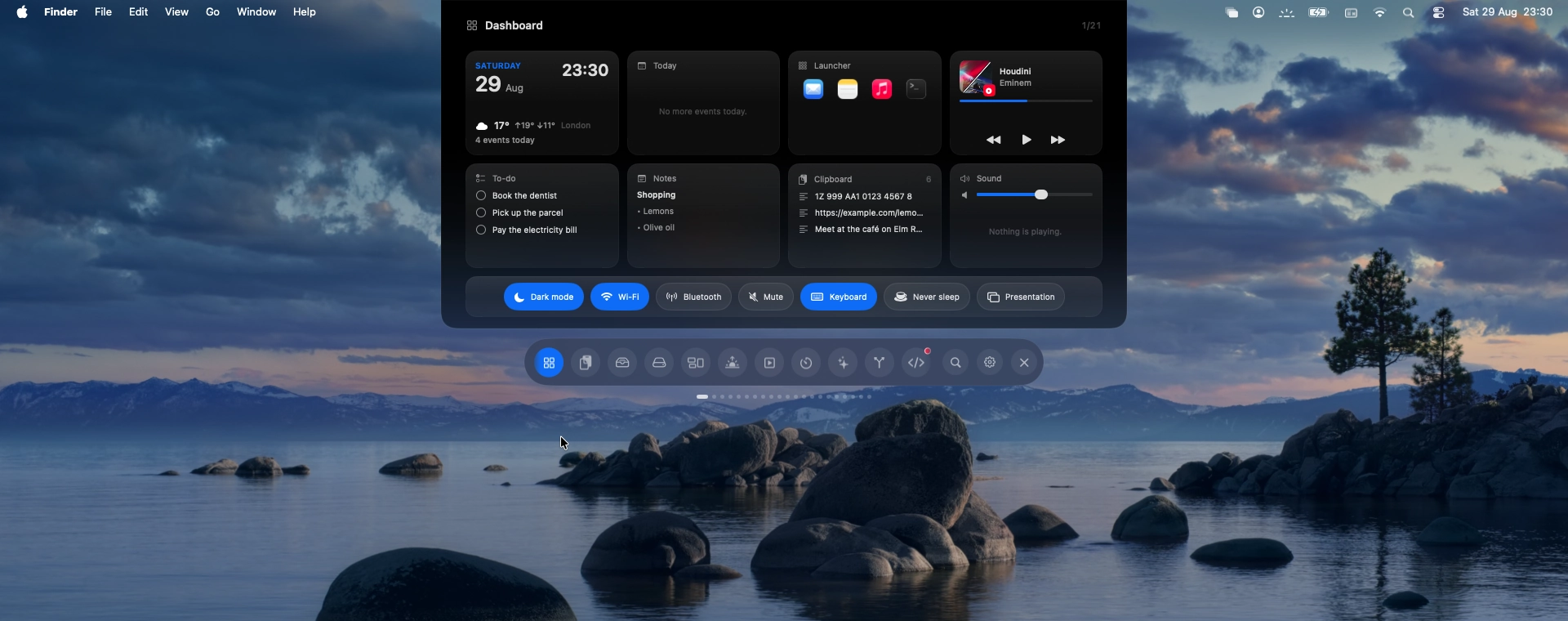
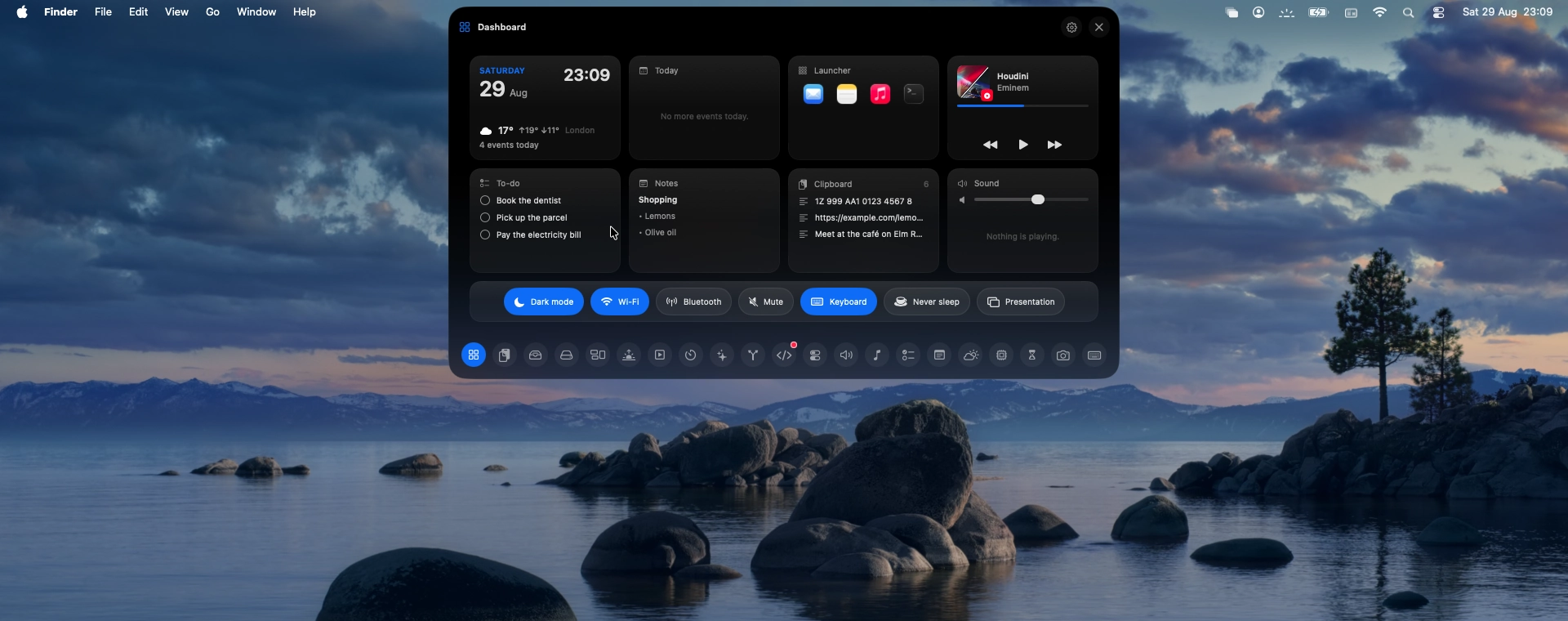
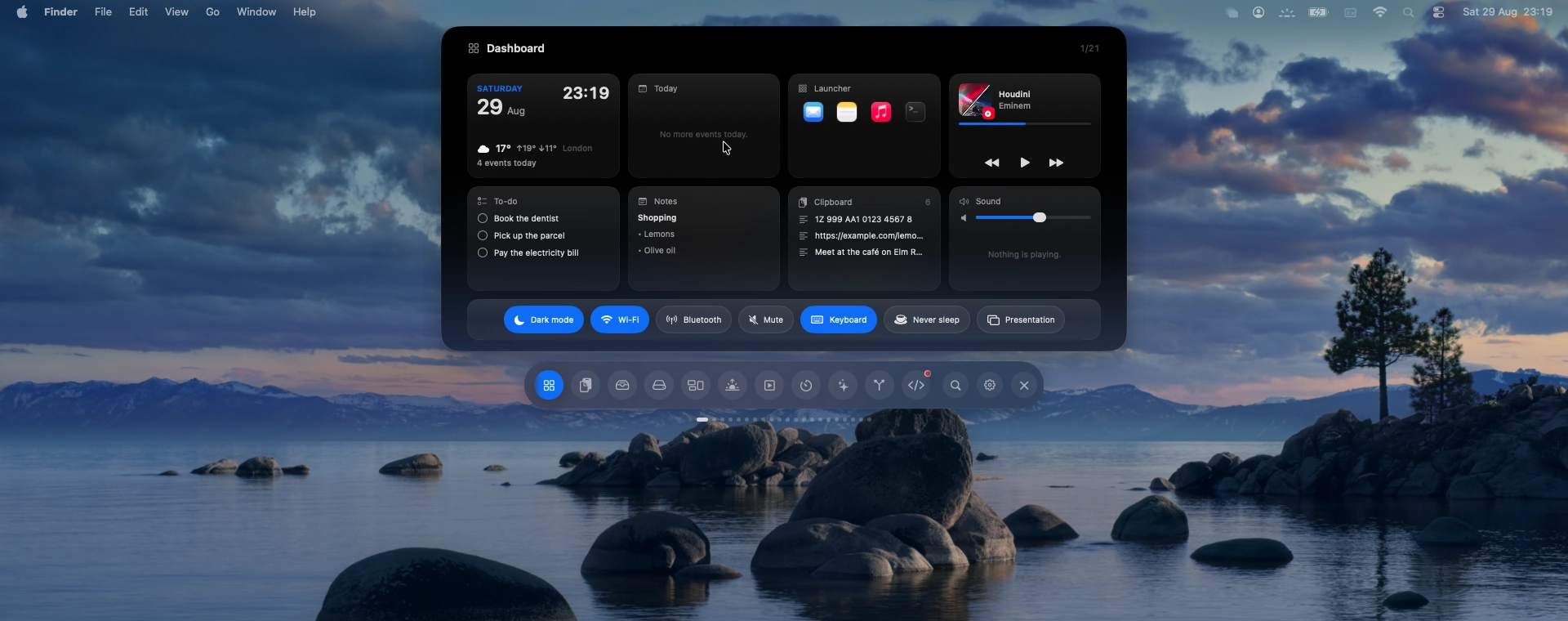
The panel drops from the top edge, with round tabs floating underneath.
Every desktop keeps its own files.
However many desktops you switch between, your Mac shows the same files on all of them. Pulpit Manager gives each one a short list of its own.
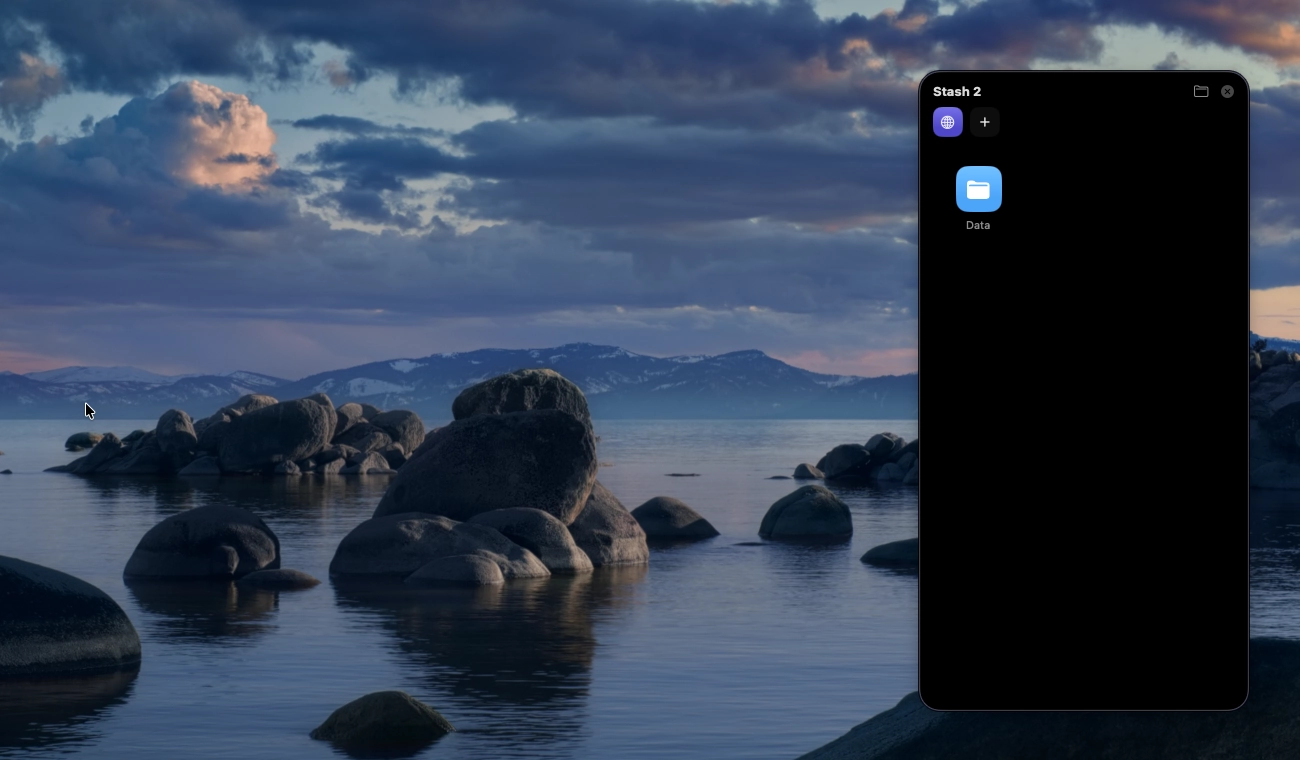
One Mac, two desktops. The icons follow the space you are on.
- 01
Change the space, change the icons
Every desktop remembers what belongs on it. Move across to the next one and the icons change with you.
- 02
Or save desktops by name
Work, Home, Studio. Each saved desktop gets a name, a colour and an icon, and you switch between them from the panel.
- 03
Nothing is moved
Your files stay in the same folder they have always been in. The app only decides which of them are on screen.
Presentation mode clears every icon before you share your screen.
Tidy up sorts loose files into folders by kind, in one click.
One shortcut brings your usual desktop straight back.
Everything else, at the top of the screen.
Throw the pointer at the top of the screen and it comes down. Keep the parts you use, hide the rest, and put them in the order you like.
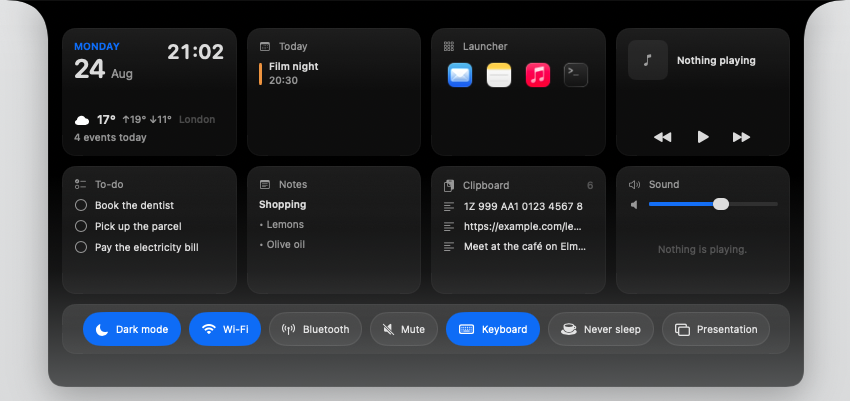
Dashboard
The whole hub on one screen: the clock, weather, today's events, your launcher, notes, clipboard, sound, and the switches you use most.
It tells you what changed, then gets out of the way.
Volume, brightness, the song that just started, a timer running down, an agent waiting on your answer. Small things appear at the top edge for a moment and leave on their own.
The states marked with a waveform are recordings of the app, not stills.
Drag a file up, and choose what happens to it.
Pull anything toward the top of the screen and a row of actions slides in.
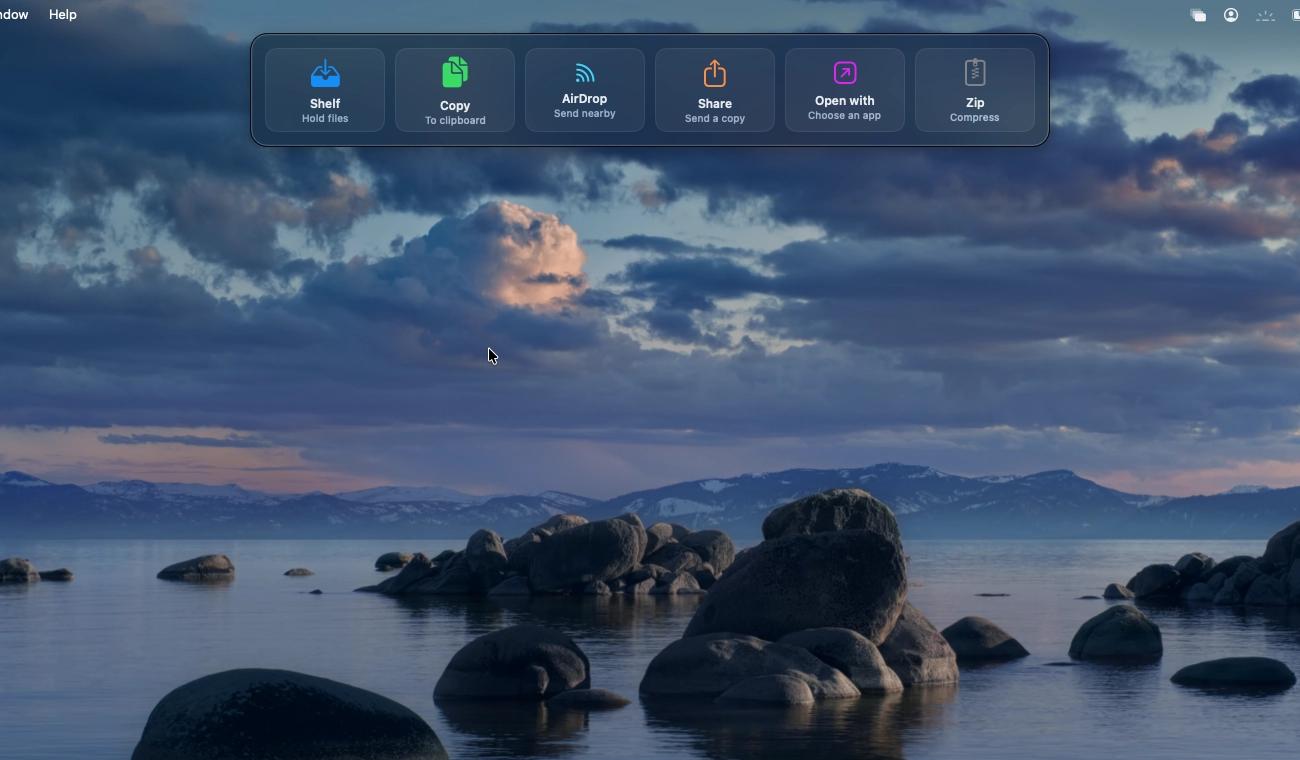
Six ways out, in one gesture
Shelf, copy, AirDrop, share, open with another app, or zip. The bar appears where your hand already is.
The shelf holds it until you need it
Anything you leave on the shelf waits there while you move between apps and desktops.
Twenty three modules. You decide which ones show up.
Turn any of them on or off in Settings, put them in the order you want, and choose which one opens first.
01Desktops
Every desktop keeps its own files. See how many you have, and move between them without losing anything.
02Clipboard
Everything you copied lately, with search, pins and image previews. Anything you mark private is never stored.
03File shelf
A place to park files while you move between apps. Drop them in, drag them back out.
04Drives
External disks and volumes, with free space and a one click eject.
macOS 14 Sonoma or later
Apple silicon and Intel.
Lives in the menu bar
No Dock icon. It can start with your Mac if you want it to.
It asks before it reaches
Each permission is asked for separately and can be withdrawn in System Settings. Updates are signed and checked before they install.
Your files are never moved
They stay in the folder they were always in. The app only decides which of them are on screen.
Free to keep. Premium when you want the rest.
Download it and use the free features for as long as you like. Premium unlocks the whole app on every Mac you sign in to.
Free
No paymentThe core features, with no time limit and no account needed.
Monthly
3 days freeBilled monthly. Cancel whenever.
The whole app, month to month.
Yearly
Save 55%$35.88 · ≈ $1.33/month
The whole app for a year, at the lowest monthly rate.
Lifetime
One payment. Yours to keep.
Pay once and keep premium, updates included.

Buying on this site is paused for the moment, so premium goes through the App Store. The prices are the same, and card checkout here will return.
Card required. Cancel within 3 days and you pay nothing.
Answers, before you decide.
Is it really free?
Yes. Download it and the free features stay free, with no time limit. Premium unlocks the rest for $2.99 a month, $15.99 a year, or $22.99 once.
Is there a free trial?
Yes, three days. You can cancel inside them and pay nothing. It starts when you subscribe, whichever way you subscribe: in the App Store, or with a card here once checkout returns.
Which Macs does it run on?
Any Mac on macOS 14 Sonoma or later, Apple silicon or Intel. It lives in the menu bar and has no Dock icon.
How does the App Store version differ?
The App Store edition is smaller. Apple's sandbox limits how far an app may reach into the system, so features like separate desktops need the version from this page. That version asks for each permission on its own, and you can withdraw any of them in System Settings without breaking the rest.
Will it move or delete my files?
No. Everything stays in your Desktop folder and Finder keeps drawing it. Quit the app, or press ⌃⌥⌘D, and your usual desktop is back.
Does it send my data anywhere?
Pulpit Manager runs on your Mac. Weather and AI chat only reach out when you use them, and only to the service you chose.
Can I use premium on more than one Mac?
Yes. Sign in with the same account and premium follows you.
How do I cancel?
From your account on this site, at any time. A yearly plan runs to the end of the year you paid for, and a lifetime licence is not a subscription, so there is nothing to cancel.
Watch it work, before you install it.
Watch the panel change shape and the drop bar arrive. This one is drawn by hand rather than photographed; everything above it is a real capture.
It runs through the four looks and the drop bar, and keeps going.
Quieter desktops, in one download.
Free for Mac. Premium when you want the rest.
- Free to download
- macOS 14 or later
- No account needed to start